
Turn a product walkthrough into a help article with Document360
Use Document360’s Eddy AI to draft a how-to from an approved recording, then verify permissions, screenshots and the finished instructions.
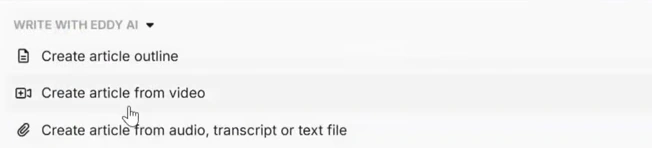
A screen recording can preserve knowledge that never made it into the manual. Turning it into useful documentation takes more than transcribing the presenter. The reader needs prerequisites, action labels and a way to confirm success. Document360’s Eddy AI can draft an article from a video recording. Use it on a small, verifiable task first so your documentation team can judge how much human editing the workflow needs.
Prepare a recording with a single outcome
For a pilot, record a support administrator creating a saved reply and confirming that an agent can insert it into a test ticket. Use an account containing demonstration data. State the administrator’s role and say the names of the controls as you use them. Show the complete result from the agent’s perspective. Keep aborted attempts and unrelated discussion out of the source recording.
Create a separate answer sheet listing the expected prerequisites, actions and final state. For this example, it should distinguish the role that creates a reply from the role that uses it. Record the application version or capture date. This answer sheet gives the reviewer an independent reference even when the generated article reads fluently. Confirm your team has permission to upload and process the recording.
Generate a first draft in the documentation workspace
In Document360's Documentation area, open Create and choose Create with Eddy AI. Select the video-to-article option and supply a supported recording from your computer or the product's Drive. Consult the current file and duration requirements before recording a long session. Provide instructions that define the reader, desired task, prerequisites and expected result. Ask for uncertainty to be preserved where the recording does not show a necessary detail.
Choose whether the article needs extracted screenshots. A screenshot helps when two controls have similar labels or the result is a subtle state change. For simple text choices, it can add maintenance work without helping the reader. Document360 describes different formatting options depending on the screenshot setting. Pick a small example of each if your procurement decision depends on producing a large, visually consistent library.
Test the draft as an instruction set
Have a colleague follow the draft in a clean workspace without watching the source video. Ask them to mark the first instruction they cannot complete. Check whether the problem is missing access, an inferred button name, an omitted transition or a misleading screenshot. Record the specific edits required. A polished paragraph that combines creating and publishing a reply may need to become two separate actions with different prerequisites.
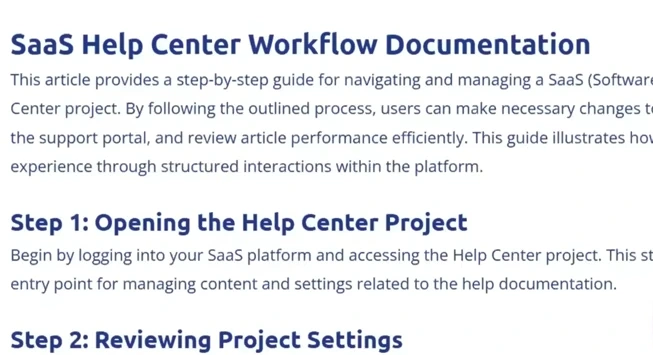
Before publishing, inspect screenshots for personal details, add useful text descriptions where needed and confirm every product label. Keep a note of which source recording produced the page and which product change should trigger a review. For a buying decision, compare the editing, verification and future maintenance required with drafting the same article directly from a verified workflow. The relevant outcome is a reader successfully completing the task with reliable instructions.