
Build a sales video library around buyer objections
Organize product proof clips, demos and comparisons so sales reps can send the right evidence at the right point in a SaaS deal.
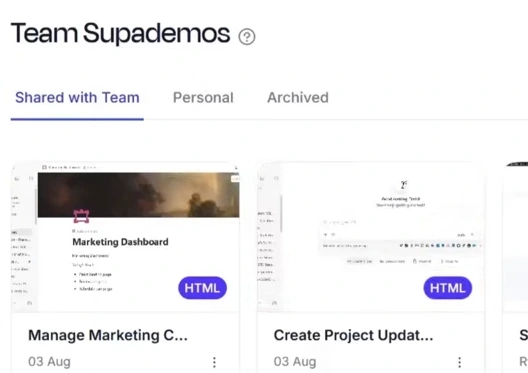
A sales library works when a representative can answer a live question quickly enough to keep the conversation moving. Organizing videos by production date or campaign title asks the rep to remember marketing's internal terminology. Organize them around the buyer's decision, the person asking and the evidence they need to share with colleagues. Start with a handful of genuine objections from recent conversations.
Map each objection to a proof asset
Suppose a prospect asks whether they can transfer project ownership when an employee leaves. A generic product overview leaves the buyer searching for the answer. A concise demonstration should show an existing project, the authorized person performing the transfer and the resulting ownership record. If reassignment requires a specific plan or administrator role, include that condition in the catalog entry and in the video itself.
Create a row containing the question, buyer role, buying stage, product area, relevant timecode, prerequisites, link and date last checked. Add a sentence a representative can put in an email. For example, “The section showing the ownership change begins after the current owner is identified. It also shows which role can authorize the transfer.” Keep the language factual enough for a prospect to forward without adding context.
Give the sales team routes through the collection
Group assets by decisions such as migration, integration, administration and evaluation. YouTube playlists can collect related public videos, while a private internal index can hold usage notes, limitations and account-specific context. Keep private sales information in the internal system. A public playlist title should make sense to a viewer who has never spoken to your team.
Set one preferred link per objection. If a longer tutorial also covers the issue, include a time reference and identify the short clip as an alternative for buyers who only need the result. A prospect checking permissions might later want to see an end-to-end migration. Link the two assets intentionally so the rep can choose the next step instead of sending a folder of undifferentiated recordings.
Measure whether the library answers the question
Ask representatives to record which asset they used, the question that prompted it and what the buyer asked next. Use lightweight, aggregated reporting where possible. Watch counts and retention can provide context about public consumption, but they cannot identify every stakeholder or prove a video changed a deal. A rep reporting that the buyer still asked about the administrator role points to a specific gap you can investigate.
Review the library with product and sales at a regular interval. Retire duplicate entries, flag outdated examples and give each remaining asset an owner and product change trigger. When commissioning a new video, include the planned catalog row in the brief. If nobody can complete the buyer question, proof requirement and sending context, the sales team may need a clearer explanation of existing material before it needs another recording.