
How to budget localization for a SaaS video library
Cost subtitles, narration, translated screens and maintenance separately before selecting which software videos to localize.
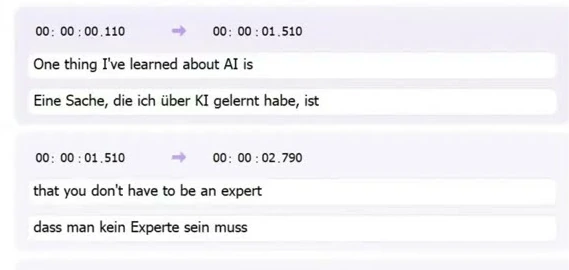
When a budget says “translate ten videos,” first ask what the viewer should be able to do in the new language. Watching a translated presentation is a different job from following a tutorial in a localized interface. An accurate subtitle file can translate the speaker's explanation while the button a user needs appears under a different name on screen. Decide which mismatch would prevent the intended buyer from finishing the task.
Choose the right treatment for each asset
Make an inventory with the video’s purpose, audience, language of the interface, amount of embedded text and expected lifetime. A product overview with little screen detail may need translated captions and a localized description. A detailed setup lesson might need new screen captures from an account configured for the target market. A frequently changing dashboard may be a better candidate for short written instructions until its design settles.
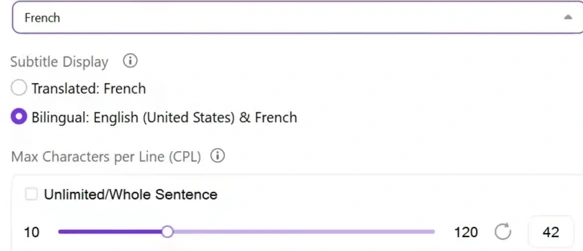
For example, consider a billing tutorial shown in English to a French-speaking finance team. The product may support a French interface, while an invoice generated in the test workspace still uses English field names or an unfamiliar date format. Ask a local product user to run the exact workflow. Record which screens and outputs must change, which can stay in English with an explanation and which represent product work outside the video budget.
Build a quote around units a reviewer can count
- Translation and terminology review. Supply the final transcript, approved product names and a glossary of terms visible in the interface.
- Screen replacement. Count scenes with localized controls, example documents, dates, currencies or diagrams that need attention.
- Audio and captions. Specify voice recording or subtitles, timing work, speaker identification and review in the final player.
- Final use. Identify the destination, file format, metadata, rights for the translated voice and the owner of future corrections.
Separate one-time glossary setup from per-language and per-video work. Estimate the internal product reviewer’s time as well as supplier fees. If an English screen changes across five videos, ask what the localization vendor would need to update each version. This reveals the ongoing cost of a library that initially looks affordable.
Run one representative localization before committing the library
Select a video containing the hardest terminology and a real interface transition. Give the translator the recorded context rather than a detached list of sentences. Review the localized first cut at normal playback speed with a person who knows both the product and the target audience. Check text length, legibility and whether subtitle timing allows time to inspect the interface. In YouTube Studio, add the correctly identified language track and confirm it displays as intended.
Use that trial to decide the next group of assets. Prioritize videos attached to a real localized landing page, trial journey or sales need. Save editable captions, scripts, source captures and the terminology decisions. A future reviewer should be able to update one changed button without commissioning a new translation of every sentence.
Sources and further reading
- W3C Web Accessibility Initiative · Making audio and video accessible
- YouTube Help · Add subtitles and captions